2025-09-20 13:10:16 +08:00
|
|
|
|
# XCodeReviewer - 您的智能代码审计伙伴 🚀
|
|
|
|
|
|
|
2025-09-20 13:09:12 +08:00
|
|
|
|
<div style="width: 100%; max-width: 600px; margin: 0 auto;">
|
2025-10-22 15:12:59 +08:00
|
|
|
|
<img src="public/images/logo.png" alt="XCodeReviewer Logo" style="width: 100%; height: auto; display: block; margin: 0 auto;">
|
2025-09-20 13:09:12 +08:00
|
|
|
|
</div>
|
|
|
|
|
|
|
2025-11-28 20:34:15 +08:00
|
|
|
|
|
2025-09-20 12:11:34 +08:00
|
|
|
|
|
2025-10-27 17:14:33 +08:00
|
|
|
|
<div align="center">
|
|
|
|
|
|
|
2025-11-28 20:34:15 +08:00
|
|
|
|
[](https://github.com/lintsinghua/XCodeReviewer/releases)
|
2025-10-27 17:13:07 +08:00
|
|
|
|
[](https://opensource.org/licenses/MIT)
|
|
|
|
|
|
[](https://reactjs.org/)
|
|
|
|
|
|
[](https://www.typescriptlang.org/)
|
2025-11-28 20:34:15 +08:00
|
|
|
|
[](https://fastapi.tiangolo.com/)
|
|
|
|
|
|
[](https://www.python.org/)
|
2025-11-09 20:32:51 +08:00
|
|
|
|
[](https://deepwiki.com/lintsinghua/XCodeReviewer)
|
2025-10-27 17:14:33 +08:00
|
|
|
|
|
2025-10-27 17:13:07 +08:00
|
|
|
|
[](https://github.com/lintsinghua/XCodeReviewer/stargazers)
|
|
|
|
|
|
[](https://github.com/lintsinghua/XCodeReviewer/network/members)
|
2025-09-20 00:12:06 +08:00
|
|
|
|
|
2025-10-29 22:22:38 +08:00
|
|
|
|
[](https://github.com/lintsinghua/lintsinghua.github.io/issues/1)
|
2025-10-27 17:14:33 +08:00
|
|
|
|
</div>
|
|
|
|
|
|
|
2025-10-27 17:20:18 +08:00
|
|
|
|
<div style="width: 100%; max-width: 600px; margin: 0 auto;">
|
2025-10-27 17:06:17 +08:00
|
|
|
|
<a href="https://github.com/lintsinghua/XCodeReviewer">
|
2025-10-27 17:20:18 +08:00
|
|
|
|
<img src="public/star-me-cn.svg" alt="Star this project" style="width: 100%; height: auto; display: block; margin: 0 auto;" />
|
2025-10-27 17:06:17 +08:00
|
|
|
|
</a>
|
|
|
|
|
|
</div>
|
|
|
|
|
|
|
2025-11-28 20:34:15 +08:00
|
|
|
|
**XCodeReviewer** 是一个由大型语言模型(LLM)驱动的现代化代码审计平台,采用前后端分离架构,旨在为开发者提供智能、全面且极具深度的代码质量分析和审查服务。
|
2025-11-11 18:24:55 +08:00
|
|
|
|
|
2025-09-20 11:58:22 +08:00
|
|
|
|
## 🌟 为什么选择 XCodeReviewer?
|
2025-09-20 00:12:06 +08:00
|
|
|
|
|
2025-10-25 22:30:41 +08:00
|
|
|
|
在快节奏的软件开发中,保证代码质量至关重要。传统代码审计工具规则死板、效率低下,而人工审计则耗时耗力。XCodeReviewer 借助 LLM 的强大能力,彻底改变了代码审查的方式:
|
2025-09-20 00:12:06 +08:00
|
|
|
|
|
2025-10-24 16:20:32 +08:00
|
|
|
|

|
2025-10-24 16:24:50 +08:00
|
|
|
|
|
|
|
|
|
|
<div div align="center">
|
|
|
|
|
|
<em>
|
|
|
|
|
|
XCodeReviewer系统架构图
|
|
|
|
|
|
</em>
|
|
|
|
|
|
</div>
|
2025-10-24 16:20:32 +08:00
|
|
|
|
|
|
|
|
|
|
---
|
|
|
|
|
|
|
2025-10-22 15:12:59 +08:00
|
|
|
|
- **AI 驱动的深度分析**:超越传统静态分析,理解代码意图,发现深层逻辑问题。
|
|
|
|
|
|
- **多维度、全方位评估**:从**安全性**、**性能**、**可维护性**到**代码风格**,提供 360 度无死角的质量评估。
|
2025-10-26 13:38:17 +08:00
|
|
|
|
- **清晰、可行的修复建议**:独创 **What-Why-How** 模式,不仅告诉您"是什么"问题,还解释"为什么",并提供"如何修复"的具体代码示例。
|
2025-10-24 12:25:29 +08:00
|
|
|
|
- **多平台LLM/本地LLM支持**: 已实现 10+ 主流平台API调用功能(Gemini、OpenAI、Claude、通义千问、DeepSeek、智谱AI、Kimi、文心一言、MiniMax、豆包、Ollama本地大模型),支持用户自由配置和切换。
|
2025-11-28 20:34:15 +08:00
|
|
|
|
- **前后端分离架构**:采用 React + FastAPI 现代化架构,支持独立部署和扩展,后端使用 LiteLLM 统一适配多种 LLM 平台。
|
2025-10-26 13:38:17 +08:00
|
|
|
|
- **可视化运行时配置**:无需重新构建镜像,直接在浏览器中配置所有 LLM 参数和 API Keys,支持 API 中转站,配置保存在本地浏览器,安全便捷。
|
2025-10-22 15:12:59 +08:00
|
|
|
|
- **现代化、高颜值的用户界面**:基于 React + TypeScript 构建,提供流畅、直观的操作体验。
|
2025-09-20 00:12:06 +08:00
|
|
|
|
|
2025-09-20 11:58:22 +08:00
|
|
|
|
## 🎬 项目演示
|
2025-09-20 00:12:06 +08:00
|
|
|
|
|
2025-09-20 11:58:22 +08:00
|
|
|
|
### 主要功能界面
|
2025-09-20 00:12:06 +08:00
|
|
|
|
|
2025-10-22 15:12:59 +08:00
|
|
|
|
#### 智能仪表盘
|
2025-09-20 11:58:22 +08:00
|
|
|
|

|
|
|
|
|
|
*实时展示项目统计、质量趋势和系统性能,提供全面的代码审计概览*
|
2025-09-20 00:12:06 +08:00
|
|
|
|
|
2025-10-22 15:12:59 +08:00
|
|
|
|
#### 即时分析
|
2025-10-22 18:14:45 +08:00
|
|
|
|

|
2025-09-20 11:58:22 +08:00
|
|
|
|
*支持代码片段快速分析,提供详细的 What-Why-How 解释和修复建议*
|
2025-09-20 00:12:06 +08:00
|
|
|
|
|
2025-10-22 15:12:59 +08:00
|
|
|
|
#### 项目管理
|
2025-10-22 18:14:45 +08:00
|
|
|
|

|
2025-09-20 11:58:22 +08:00
|
|
|
|
*集成 GitHub/GitLab 仓库,支持多语言项目审计和批量代码分析*
|
2025-09-20 00:12:06 +08:00
|
|
|
|
|
|
|
|
|
|
## 🚀 快速开始
|
|
|
|
|
|
|
2025-11-28 20:34:15 +08:00
|
|
|
|
### 🐳 Docker Compose 部署(推荐)
|
2025-11-11 17:01:29 +08:00
|
|
|
|
|
2025-11-28 20:34:15 +08:00
|
|
|
|
完整的前后端分离部署方案,包含前端、后端和 PostgreSQL 数据库,一键启动所有服务。
|
2025-11-11 17:01:29 +08:00
|
|
|
|
|
|
|
|
|
|
```bash
|
2025-11-28 20:34:15 +08:00
|
|
|
|
# 1. 克隆项目
|
|
|
|
|
|
git clone https://github.com/lintsinghua/XCodeReviewer.git
|
|
|
|
|
|
cd XCodeReviewer
|
2025-11-11 17:01:29 +08:00
|
|
|
|
|
2025-11-28 20:34:15 +08:00
|
|
|
|
# 2. 配置后端环境变量
|
|
|
|
|
|
cp backend/env.example backend/.env
|
|
|
|
|
|
# 编辑 backend/.env 文件,配置 LLM API Key 等参数
|
2025-11-11 17:01:29 +08:00
|
|
|
|
|
2025-11-28 20:34:15 +08:00
|
|
|
|
# 3. 使用 Docker Compose 启动所有服务
|
|
|
|
|
|
docker-compose up -d
|
2025-11-11 17:01:29 +08:00
|
|
|
|
|
2025-11-28 20:34:15 +08:00
|
|
|
|
# 4. 访问应用
|
|
|
|
|
|
# 前端: http://localhost:5173
|
|
|
|
|
|
# 后端 API: http://localhost:8000
|
|
|
|
|
|
# API 文档: http://localhost:8000/docs
|
2025-11-11 17:01:29 +08:00
|
|
|
|
```
|
|
|
|
|
|
|
2025-11-28 20:34:15 +08:00
|
|
|
|
**服务说明**:
|
|
|
|
|
|
| 服务 | 端口 | 说明 |
|
|
|
|
|
|
|------|------|------|
|
|
|
|
|
|
| `frontend` | 5173 | React 前端应用(开发模式) |
|
|
|
|
|
|
| `backend` | 8000 | FastAPI 后端 API |
|
|
|
|
|
|
| `db` | 5432 | PostgreSQL 数据库 |
|
2025-10-23 00:13:48 +08:00
|
|
|
|
|
2025-11-28 20:34:15 +08:00
|
|
|
|
**生产环境部署**:
|
2025-10-26 14:14:02 +08:00
|
|
|
|
|
2025-11-28 20:34:15 +08:00
|
|
|
|
如需生产环境部署,可使用根目录的 `Dockerfile` 构建前端静态文件并通过 Nginx 提供服务:
|
2025-10-26 14:14:02 +08:00
|
|
|
|
|
|
|
|
|
|
```bash
|
2025-11-28 20:34:15 +08:00
|
|
|
|
# 构建前端生产镜像
|
|
|
|
|
|
docker build -t xcodereviewer-frontend .
|
2025-10-26 14:14:02 +08:00
|
|
|
|
|
2025-11-28 20:34:15 +08:00
|
|
|
|
# 运行前端容器(端口 8888)
|
|
|
|
|
|
docker run -d -p 8888:80 --name xcodereviewer-frontend xcodereviewer-frontend
|
2025-10-26 14:14:02 +08:00
|
|
|
|
|
2025-11-28 20:34:15 +08:00
|
|
|
|
# 后端和数据库仍使用 docker-compose
|
|
|
|
|
|
docker-compose up -d db backend
|
2025-10-26 14:14:02 +08:00
|
|
|
|
```
|
|
|
|
|
|
|
2025-11-28 20:34:15 +08:00
|
|
|
|
---
|
2025-10-25 13:02:26 +08:00
|
|
|
|
|
2025-11-28 20:34:15 +08:00
|
|
|
|
### 💻 本地开发部署
|
2025-10-25 13:02:26 +08:00
|
|
|
|
|
2025-11-28 20:34:15 +08:00
|
|
|
|
适合需要开发或自定义修改的场景。
|
2025-10-25 13:02:26 +08:00
|
|
|
|
|
2025-11-28 20:34:15 +08:00
|
|
|
|
#### 环境要求
|
|
|
|
|
|
- Node.js 18+
|
|
|
|
|
|
- Python 3.13+
|
|
|
|
|
|
- PostgreSQL 15+
|
|
|
|
|
|
- pnpm 8+ (推荐) 或 npm/yarn
|
2025-10-23 00:13:48 +08:00
|
|
|
|
|
2025-11-28 20:34:15 +08:00
|
|
|
|
#### 后端启动
|
2025-10-26 13:38:17 +08:00
|
|
|
|
|
2025-11-28 20:34:15 +08:00
|
|
|
|
```bash
|
|
|
|
|
|
# 1. 进入后端目录
|
|
|
|
|
|
cd backend
|
2025-10-26 13:38:17 +08:00
|
|
|
|
|
2025-11-28 20:34:15 +08:00
|
|
|
|
# 2. 创建虚拟环境(推荐使用 uv)
|
|
|
|
|
|
uv venv
|
|
|
|
|
|
source .venv/bin/activate # Linux/macOS
|
|
|
|
|
|
# 或 .venv\Scripts\activate # Windows
|
2025-10-26 13:38:17 +08:00
|
|
|
|
|
2025-11-28 20:34:15 +08:00
|
|
|
|
# 3. 安装依赖
|
|
|
|
|
|
uv pip install -e .
|
2025-10-26 13:38:17 +08:00
|
|
|
|
|
2025-11-28 20:34:15 +08:00
|
|
|
|
# 4. 配置环境变量
|
|
|
|
|
|
cp env.example .env
|
|
|
|
|
|
# 编辑 .env 文件,配置数据库和 LLM 参数
|
2025-10-23 00:13:48 +08:00
|
|
|
|
|
2025-11-28 20:34:15 +08:00
|
|
|
|
# 5. 初始化数据库
|
|
|
|
|
|
alembic upgrade head
|
2025-10-23 00:13:48 +08:00
|
|
|
|
|
2025-11-28 20:34:15 +08:00
|
|
|
|
# 6. 启动后端服务
|
|
|
|
|
|
uvicorn app.main:app --reload --port 8000
|
|
|
|
|
|
```
|
2025-09-20 00:12:06 +08:00
|
|
|
|
|
2025-11-28 20:34:15 +08:00
|
|
|
|
#### 前端启动
|
2025-10-24 10:59:05 +08:00
|
|
|
|
|
2025-10-25 13:02:26 +08:00
|
|
|
|
```bash
|
2025-11-28 20:34:15 +08:00
|
|
|
|
# 1. 进入前端目录
|
|
|
|
|
|
cd frontend
|
2025-10-24 10:59:05 +08:00
|
|
|
|
|
2025-10-25 13:02:26 +08:00
|
|
|
|
# 2. 安装依赖
|
|
|
|
|
|
pnpm install # 或 npm install / yarn install
|
2025-10-24 10:59:05 +08:00
|
|
|
|
|
2025-11-28 20:34:15 +08:00
|
|
|
|
# 3. 配置环境变量(可选,也可使用运行时配置)
|
2025-10-25 13:02:26 +08:00
|
|
|
|
cp .env.example .env
|
2025-10-24 10:59:05 +08:00
|
|
|
|
|
2025-10-25 13:02:26 +08:00
|
|
|
|
# 4. 启动开发服务器
|
|
|
|
|
|
pnpm dev
|
2025-10-24 10:59:05 +08:00
|
|
|
|
|
2025-10-25 13:02:26 +08:00
|
|
|
|
# 5. 访问应用
|
|
|
|
|
|
# 浏览器打开 http://localhost:5173
|
|
|
|
|
|
```
|
|
|
|
|
|
|
2025-11-28 20:34:15 +08:00
|
|
|
|
#### 后端核心配置说明
|
2025-10-24 10:59:05 +08:00
|
|
|
|
|
2025-11-28 20:34:15 +08:00
|
|
|
|
编辑 `backend/.env` 文件:
|
2025-10-24 10:59:05 +08:00
|
|
|
|
|
|
|
|
|
|
```env
|
2025-11-28 20:34:15 +08:00
|
|
|
|
# ========== 数据库配置 ==========
|
|
|
|
|
|
POSTGRES_SERVER=localhost
|
|
|
|
|
|
POSTGRES_USER=postgres
|
|
|
|
|
|
POSTGRES_PASSWORD=postgres
|
|
|
|
|
|
POSTGRES_DB=xcodereviewer
|
|
|
|
|
|
|
|
|
|
|
|
# ========== 安全配置 ==========
|
|
|
|
|
|
SECRET_KEY=your-super-secret-key-change-this-in-production
|
|
|
|
|
|
ALGORITHM=HS256
|
|
|
|
|
|
ACCESS_TOKEN_EXPIRE_MINUTES=11520
|
|
|
|
|
|
|
|
|
|
|
|
# ========== LLM配置 ==========
|
|
|
|
|
|
# 支持的provider: openai, gemini, claude, qwen, deepseek, zhipu, moonshot, baidu, minimax, doubao, ollama
|
|
|
|
|
|
LLM_PROVIDER=openai
|
|
|
|
|
|
LLM_API_KEY=sk-your-api-key
|
|
|
|
|
|
LLM_MODEL=gpt-4o-mini
|
|
|
|
|
|
LLM_BASE_URL= # API中转站地址(可选)
|
|
|
|
|
|
LLM_TIMEOUT=150
|
|
|
|
|
|
LLM_TEMPERATURE=0.1
|
|
|
|
|
|
LLM_MAX_TOKENS=4096
|
|
|
|
|
|
|
|
|
|
|
|
# ========== 仓库扫描配置 ==========
|
|
|
|
|
|
GITHUB_TOKEN=your_github_token
|
|
|
|
|
|
GITLAB_TOKEN=your_gitlab_token
|
|
|
|
|
|
MAX_ANALYZE_FILES=50
|
|
|
|
|
|
LLM_CONCURRENCY=3
|
|
|
|
|
|
LLM_GAP_MS=2000
|
2025-10-26 15:32:39 +08:00
|
|
|
|
```
|
|
|
|
|
|
|
2025-10-25 13:02:26 +08:00
|
|
|
|
### 常见问题
|
2025-10-24 10:59:05 +08:00
|
|
|
|
|
|
|
|
|
|
<details>
|
2025-10-25 13:02:26 +08:00
|
|
|
|
<summary><b>如何快速切换 LLM 平台?</b></summary>
|
2025-10-24 10:59:05 +08:00
|
|
|
|
|
2025-10-26 13:38:17 +08:00
|
|
|
|
**方式一:浏览器配置(推荐)**
|
|
|
|
|
|
|
2025-11-28 20:34:15 +08:00
|
|
|
|
1. 访问 `http://localhost:5173/admin` 系统管理页面
|
2025-10-26 13:38:17 +08:00
|
|
|
|
2. 在"系统配置"标签页选择不同的 LLM 提供商
|
|
|
|
|
|
3. 填入对应的 API Key
|
|
|
|
|
|
4. 保存并刷新页面
|
|
|
|
|
|
|
2025-11-28 20:34:15 +08:00
|
|
|
|
**方式二:后端环境变量配置**
|
2025-10-26 13:38:17 +08:00
|
|
|
|
|
2025-11-28 20:34:15 +08:00
|
|
|
|
修改 `backend/.env` 中的配置:
|
2025-10-24 10:59:05 +08:00
|
|
|
|
|
|
|
|
|
|
```env
|
2025-10-25 13:02:26 +08:00
|
|
|
|
# 切换到 OpenAI
|
2025-11-28 20:34:15 +08:00
|
|
|
|
LLM_PROVIDER=openai
|
|
|
|
|
|
LLM_API_KEY=your_key
|
2025-10-25 13:02:26 +08:00
|
|
|
|
|
|
|
|
|
|
# 切换到通义千问
|
2025-11-28 20:34:15 +08:00
|
|
|
|
LLM_PROVIDER=qwen
|
|
|
|
|
|
LLM_API_KEY=your_key
|
2025-10-24 10:59:05 +08:00
|
|
|
|
```
|
2025-10-24 18:34:55 +08:00
|
|
|
|
</details>
|
|
|
|
|
|
|
|
|
|
|
|
<details>
|
2025-10-25 13:02:26 +08:00
|
|
|
|
<summary><b>遇到请求超时怎么办?</b></summary>
|
2025-10-24 18:34:55 +08:00
|
|
|
|
|
2025-11-28 20:34:15 +08:00
|
|
|
|
1. 增加超时时间:`LLM_TIMEOUT=300`
|
|
|
|
|
|
2. 使用代理:配置 `LLM_BASE_URL`
|
2025-10-25 13:02:26 +08:00
|
|
|
|
3. 切换到国内平台:通义千问、DeepSeek、智谱AI 等
|
2025-11-28 20:34:15 +08:00
|
|
|
|
4. 降低并发:`LLM_CONCURRENCY=1`
|
2025-10-25 13:02:26 +08:00
|
|
|
|
</details>
|
2025-10-24 18:34:55 +08:00
|
|
|
|
|
2025-10-25 13:02:26 +08:00
|
|
|
|
<details>
|
|
|
|
|
|
<summary><b>数据库模式如何选择?</b></summary>
|
2025-10-24 18:34:55 +08:00
|
|
|
|
|
2025-10-25 13:02:26 +08:00
|
|
|
|
**本地模式(推荐)**:数据存储在浏览器 IndexedDB,开箱即用,隐私安全
|
2025-10-24 18:34:55 +08:00
|
|
|
|
```env
|
|
|
|
|
|
VITE_USE_LOCAL_DB=true
|
|
|
|
|
|
```
|
|
|
|
|
|
|
2025-10-25 13:02:26 +08:00
|
|
|
|
**云端模式**:数据存储在 Supabase,支持多设备同步
|
2025-10-24 18:34:55 +08:00
|
|
|
|
```env
|
|
|
|
|
|
VITE_SUPABASE_URL=https://your-project.supabase.co
|
2025-10-25 13:02:26 +08:00
|
|
|
|
VITE_SUPABASE_ANON_KEY=your_key
|
2025-10-24 18:34:55 +08:00
|
|
|
|
```
|
|
|
|
|
|
|
2025-11-28 20:34:15 +08:00
|
|
|
|
**后端数据库模式**:使用 PostgreSQL 存储,适合团队协作
|
2025-10-24 18:34:55 +08:00
|
|
|
|
</details>
|
|
|
|
|
|
|
|
|
|
|
|
<details>
|
2025-10-25 13:02:26 +08:00
|
|
|
|
<summary><b>如何使用 Ollama 本地大模型?</b></summary>
|
2025-10-24 18:34:55 +08:00
|
|
|
|
|
2025-10-25 13:02:26 +08:00
|
|
|
|
```bash
|
|
|
|
|
|
# 1. 安装 Ollama
|
|
|
|
|
|
curl -fsSL https://ollama.com/install.sh | sh # macOS/Linux
|
|
|
|
|
|
# Windows: 访问 https://ollama.com/download
|
2025-10-24 18:34:55 +08:00
|
|
|
|
|
2025-10-25 13:02:26 +08:00
|
|
|
|
# 2. 拉取模型
|
|
|
|
|
|
ollama pull llama3 # 或 codellama、qwen2.5、deepseek-coder
|
|
|
|
|
|
|
2025-11-28 20:34:15 +08:00
|
|
|
|
# 3. 配置后端
|
|
|
|
|
|
# 在 backend/.env 中设置:
|
|
|
|
|
|
LLM_PROVIDER=ollama
|
|
|
|
|
|
LLM_MODEL=llama3
|
|
|
|
|
|
LLM_BASE_URL=http://localhost:11434/v1
|
2025-10-25 13:02:26 +08:00
|
|
|
|
```
|
2025-10-24 18:34:55 +08:00
|
|
|
|
|
2025-10-25 13:02:26 +08:00
|
|
|
|
推荐模型:`llama3`(综合)、`codellama`(代码专用)、`qwen2.5`(中文)
|
2025-10-24 18:34:55 +08:00
|
|
|
|
</details>
|
|
|
|
|
|
|
|
|
|
|
|
<details>
|
2025-10-25 13:02:26 +08:00
|
|
|
|
<summary><b>百度文心一言的 API Key 格式?</b></summary>
|
2025-10-24 18:34:55 +08:00
|
|
|
|
|
2025-10-25 13:02:26 +08:00
|
|
|
|
百度需要同时提供 API Key 和 Secret Key,用冒号分隔:
|
2025-10-24 18:34:55 +08:00
|
|
|
|
```env
|
2025-11-28 20:34:15 +08:00
|
|
|
|
LLM_PROVIDER=baidu
|
|
|
|
|
|
LLM_API_KEY=your_api_key:your_secret_key
|
2025-10-24 18:34:55 +08:00
|
|
|
|
```
|
2025-10-25 13:02:26 +08:00
|
|
|
|
获取地址:https://console.bce.baidu.com/qianfan/
|
2025-10-24 10:59:05 +08:00
|
|
|
|
</details>
|
|
|
|
|
|
|
2025-10-26 13:38:17 +08:00
|
|
|
|
<details>
|
|
|
|
|
|
<summary><b>如何使用 API 中转站?</b></summary>
|
|
|
|
|
|
|
|
|
|
|
|
许多用户使用 API 中转服务来访问 LLM(更稳定、更便宜)。配置方法:
|
|
|
|
|
|
|
2025-11-28 20:34:15 +08:00
|
|
|
|
**后端配置**(推荐):
|
2025-10-24 10:59:05 +08:00
|
|
|
|
```env
|
2025-11-28 20:34:15 +08:00
|
|
|
|
LLM_PROVIDER=openai
|
|
|
|
|
|
LLM_API_KEY=中转站提供的Key
|
|
|
|
|
|
LLM_BASE_URL=https://your-proxy.com/v1
|
|
|
|
|
|
LLM_MODEL=gpt-4o-mini
|
2025-10-29 19:25:38 +08:00
|
|
|
|
```
|
|
|
|
|
|
|
2025-11-28 20:34:15 +08:00
|
|
|
|
**前端运行时配置**:
|
|
|
|
|
|
1. 访问系统管理页面(`/admin`)
|
|
|
|
|
|
2. 在"系统配置"标签页中配置 API 基础 URL 和 Key
|
|
|
|
|
|
3. 保存并刷新页面
|
2025-10-29 19:25:38 +08:00
|
|
|
|
</details>
|
|
|
|
|
|
|
2025-09-20 11:58:22 +08:00
|
|
|
|
### 🔑 获取 API Key
|
|
|
|
|
|
|
2025-10-25 13:02:26 +08:00
|
|
|
|
#### 支持的 LLM 平台
|
2025-10-24 10:59:05 +08:00
|
|
|
|
|
2025-10-25 13:02:26 +08:00
|
|
|
|
XCodeReviewer 支持 10+ 主流 LLM 平台,可根据需求自由选择:
|
2025-10-24 10:59:05 +08:00
|
|
|
|
|
2025-10-25 13:02:26 +08:00
|
|
|
|
| 平台类型 | 平台名称 | 特点 | 获取地址 |
|
|
|
|
|
|
|---------|---------|------|---------|
|
|
|
|
|
|
| **国际平台** | Google Gemini | 免费配额充足,推荐 | [获取](https://makersuite.google.com/app/apikey) |
|
|
|
|
|
|
| | OpenAI GPT | 稳定可靠,性能最佳 | [获取](https://platform.openai.com/api-keys) |
|
|
|
|
|
|
| | Anthropic Claude | 代码理解能力强 | [获取](https://console.anthropic.com/) |
|
|
|
|
|
|
| | DeepSeek | 性价比高 | [获取](https://platform.deepseek.com/) |
|
|
|
|
|
|
| **国内平台** | 阿里云通义千问 | 国内访问快 | [获取](https://dashscope.console.aliyun.com/) |
|
|
|
|
|
|
| | 智谱AI (GLM) | 中文支持好 | [获取](https://open.bigmodel.cn/) |
|
|
|
|
|
|
| | 月之暗面 Kimi | 长文本处理 | [获取](https://platform.moonshot.cn/) |
|
|
|
|
|
|
| | 百度文心一言 | 企业级服务 | [获取](https://console.bce.baidu.com/qianfan/) |
|
|
|
|
|
|
| | MiniMax | 多模态能力 | [获取](https://www.minimaxi.com/) |
|
|
|
|
|
|
| | 字节豆包 | 高性价比 | [获取](https://console.volcengine.com/ark) |
|
|
|
|
|
|
| **本地部署** | Ollama | 完全本地化,隐私安全 | [安装](https://ollama.com/) |
|
2025-10-24 12:25:29 +08:00
|
|
|
|
|
2025-09-20 11:58:22 +08:00
|
|
|
|
## ✨ 核心功能
|
2025-09-20 00:12:06 +08:00
|
|
|
|
|
2025-09-20 11:58:22 +08:00
|
|
|
|
<details>
|
|
|
|
|
|
<summary><b>🚀 项目管理</b></summary>
|
2025-09-19 23:55:46 +08:00
|
|
|
|
|
2025-09-20 11:58:22 +08:00
|
|
|
|
- **一键集成代码仓库**:无缝对接 GitHub、GitLab 等主流平台。
|
2025-11-28 20:34:15 +08:00
|
|
|
|
- **多语言"全家桶"支持**:覆盖 JavaScript, TypeScript, Python, Java, Go, Rust 等热门语言。
|
2025-09-20 11:58:22 +08:00
|
|
|
|
- **灵活的分支审计**:支持对指定代码分支进行精确分析。
|
2025-11-28 20:34:15 +08:00
|
|
|
|
- **ZIP 文件上传**:支持直接上传 ZIP 压缩包进行代码审计。
|
2025-09-20 11:58:22 +08:00
|
|
|
|
</details>
|
2025-09-19 23:55:46 +08:00
|
|
|
|
|
2025-09-20 11:58:22 +08:00
|
|
|
|
<details>
|
|
|
|
|
|
<summary><b>⚡ 即时分析</b></summary>
|
2025-09-19 23:55:46 +08:00
|
|
|
|
|
2025-11-28 20:34:15 +08:00
|
|
|
|
- **代码片段"随手贴"**:直接在 Web 界面粘贴代码,立即获得分析结果。
|
2025-09-20 11:58:22 +08:00
|
|
|
|
- **10+ 种语言即时支持**:满足您多样化的代码分析需求。
|
|
|
|
|
|
- **毫秒级响应**:快速获取代码质量评分和优化建议。
|
2025-11-28 20:34:15 +08:00
|
|
|
|
- **历史记录功能**:自动保存分析历史,支持查看和导出历史分析报告。
|
|
|
|
|
|
- **报告导出**:支持将即时分析结果导出为 JSON 或 PDF 格式。
|
2025-09-20 11:58:22 +08:00
|
|
|
|
</details>
|
2025-09-19 23:55:46 +08:00
|
|
|
|
|
2025-09-20 11:58:22 +08:00
|
|
|
|
<details>
|
|
|
|
|
|
<summary><b>🧠 智能审计</b></summary>
|
2025-09-19 23:55:46 +08:00
|
|
|
|
|
2025-11-28 20:34:15 +08:00
|
|
|
|
- **AI 深度代码理解**:支持多个主流 LLM 平台,后端使用 LiteLLM 统一适配,提供超越关键词匹配的智能分析。
|
2025-09-20 11:58:22 +08:00
|
|
|
|
- **五大核心维度检测**:
|
|
|
|
|
|
- 🐛 **潜在 Bug**:精准捕捉逻辑错误、边界条件和空指针等问题。
|
|
|
|
|
|
- 🔒 **安全漏洞**:识别 SQL 注入、XSS、敏感信息泄露等安全风险。
|
|
|
|
|
|
- ⚡ **性能瓶颈**:发现低效算法、内存泄漏和不合理的异步操作。
|
|
|
|
|
|
- 🎨 **代码风格**:确保代码遵循行业最佳实践和统一规范。
|
|
|
|
|
|
- 🔧 **可维护性**:评估代码的可读性、复杂度和模块化程度。
|
|
|
|
|
|
</details>
|
2025-09-19 23:55:46 +08:00
|
|
|
|
|
2025-09-20 11:58:22 +08:00
|
|
|
|
<details>
|
|
|
|
|
|
<summary><b>💡 可解释性分析 (What-Why-How)</b></summary>
|
2025-09-19 23:55:46 +08:00
|
|
|
|
|
2025-09-20 11:58:22 +08:00
|
|
|
|
- **What (是什么)**:清晰地指出代码中存在的问题。
|
|
|
|
|
|
- **Why (为什么)**:详细解释该问题可能带来的潜在风险和影响。
|
|
|
|
|
|
- **How (如何修复)**:提供具体的、可直接使用的代码修复示例。
|
|
|
|
|
|
- **精准代码定位**:快速跳转到问题所在的行和列。
|
|
|
|
|
|
</details>
|
2025-09-19 23:55:46 +08:00
|
|
|
|
|
2025-09-20 11:58:22 +08:00
|
|
|
|
<details>
|
|
|
|
|
|
<summary><b>📊 可视化报告</b></summary>
|
2025-09-19 23:55:46 +08:00
|
|
|
|
|
2025-09-20 11:58:22 +08:00
|
|
|
|
- **代码质量仪表盘**:提供 0-100 分的综合质量评估,让代码健康状况一目了然。
|
|
|
|
|
|
- **多维度问题统计**:按类型和严重程度对问题进行分类统计。
|
|
|
|
|
|
- **质量趋势分析**:通过图表展示代码质量随时间的变化趋势。
|
2025-11-28 20:34:15 +08:00
|
|
|
|
- **报告导出**:支持 JSON 和 PDF 格式导出审计报告。
|
2025-09-20 11:58:22 +08:00
|
|
|
|
</details>
|
|
|
|
|
|
|
2025-10-24 18:34:55 +08:00
|
|
|
|
<details>
|
2025-10-26 13:38:17 +08:00
|
|
|
|
<summary><b>⚙️ 系统管理</b></summary>
|
|
|
|
|
|
|
|
|
|
|
|
访问 `/admin` 页面,提供完整的系统配置和数据管理功能:
|
|
|
|
|
|
|
|
|
|
|
|
- **🔧 可视化配置管理**(运行时配置):
|
|
|
|
|
|
- 🎯 **LLM 配置**:在浏览器中直接配置 API Keys、模型、超时等参数
|
|
|
|
|
|
- 🔑 **平台密钥**:管理 10+ LLM 平台的 API Keys,支持快速切换
|
|
|
|
|
|
- ⚡ **分析参数**:调整并发数、间隔时间、最大文件数等
|
|
|
|
|
|
- 🌐 **API 中转站支持**:轻松配置第三方 API 代理服务
|
|
|
|
|
|
|
|
|
|
|
|
- **💾 数据库管理**:
|
2025-11-28 20:34:15 +08:00
|
|
|
|
- 🏠 **三种模式**:本地 IndexedDB / Supabase 云端 / PostgreSQL 后端
|
2025-10-24 18:34:55 +08:00
|
|
|
|
- 📤 **导出备份**:将数据导出为 JSON 文件
|
|
|
|
|
|
- 📥 **导入恢复**:从备份文件恢复数据
|
|
|
|
|
|
- 🗑️ **清空数据**:一键清理所有本地数据
|
2025-11-28 20:34:15 +08:00
|
|
|
|
</details>
|
|
|
|
|
|
|
|
|
|
|
|
<details>
|
|
|
|
|
|
<summary><b>👥 用户管理</b></summary>
|
|
|
|
|
|
|
|
|
|
|
|
- **用户注册与登录**:支持用户账户系统
|
|
|
|
|
|
- **JWT 认证**:安全的 Token 认证机制
|
|
|
|
|
|
- **权限控制**:基于角色的访问控制
|
2025-10-24 18:34:55 +08:00
|
|
|
|
</details>
|
|
|
|
|
|
|
2025-09-20 11:58:22 +08:00
|
|
|
|
## 🛠️ 技术栈
|
|
|
|
|
|
|
2025-11-28 20:34:15 +08:00
|
|
|
|
### 前端技术栈
|
|
|
|
|
|
|
2025-09-20 11:58:22 +08:00
|
|
|
|
| 分类 | 技术 | 说明 |
|
|
|
|
|
|
| :--- | :--- | :--- |
|
|
|
|
|
|
| **前端框架** | `React 18` `TypeScript` `Vite` | 现代化前端开发栈,支持热重载和类型安全 |
|
|
|
|
|
|
| **UI 组件** | `Tailwind CSS` `Radix UI` `Lucide React` | 响应式设计,无障碍访问,丰富的图标库 |
|
|
|
|
|
|
| **数据可视化** | `Recharts` | 专业的图表库,支持多种图表类型 |
|
|
|
|
|
|
| **路由管理** | `React Router v6` | 单页应用路由解决方案 |
|
|
|
|
|
|
| **状态管理** | `React Hooks` `Sonner` | 轻量级状态管理和通知系统 |
|
|
|
|
|
|
| **HTTP 客户端** | `Axios` `Ky` | 现代化的 HTTP 请求库 |
|
|
|
|
|
|
| **代码质量** | `Biome` `Ast-grep` `TypeScript` | 代码格式化、静态分析和类型检查 |
|
|
|
|
|
|
| **构建工具** | `Vite` `PostCSS` `Autoprefixer` | 快速的构建工具和 CSS 处理 |
|
2025-09-20 00:12:06 +08:00
|
|
|
|
|
2025-11-28 20:34:15 +08:00
|
|
|
|
### 后端技术栈
|
|
|
|
|
|
|
|
|
|
|
|
| 分类 | 技术 | 说明 |
|
|
|
|
|
|
| :--- | :--- | :--- |
|
|
|
|
|
|
| **Web 框架** | `FastAPI` | 高性能异步 Python Web 框架 |
|
|
|
|
|
|
| **数据库** | `PostgreSQL` `SQLAlchemy` `Alembic` | 关系型数据库 + ORM + 数据库迁移 |
|
|
|
|
|
|
| **认证授权** | `python-jose` `passlib` `bcrypt` | JWT Token 认证和密码加密 |
|
|
|
|
|
|
| **LLM 集成** | `LiteLLM` | 统一的 LLM API 适配层,支持 10+ 平台 |
|
|
|
|
|
|
| **HTTP 客户端** | `httpx` | 异步 HTTP 客户端 |
|
|
|
|
|
|
| **数据验证** | `Pydantic` | 数据验证和序列化 |
|
|
|
|
|
|
|
|
|
|
|
|
### 数据存储
|
|
|
|
|
|
|
|
|
|
|
|
| 分类 | 技术 | 说明 |
|
|
|
|
|
|
| :--- | :--- | :--- |
|
|
|
|
|
|
| **前端本地存储** | `IndexedDB` | 浏览器本地数据库,开箱即用 |
|
|
|
|
|
|
| **云端数据库** | `Supabase` | 可选的云端数据同步 |
|
|
|
|
|
|
| **后端数据库** | `PostgreSQL` | 生产环境推荐的关系型数据库 |
|
|
|
|
|
|
|
2025-09-20 00:12:06 +08:00
|
|
|
|
## 📁 项目结构
|
|
|
|
|
|
|
|
|
|
|
|
```
|
|
|
|
|
|
XCodeReviewer/
|
2025-11-28 20:34:15 +08:00
|
|
|
|
├── frontend/ # 前端项目
|
|
|
|
|
|
│ ├── src/
|
|
|
|
|
|
│ │ ├── app/ # 应用配置和路由
|
|
|
|
|
|
│ │ │ ├── App.tsx # 主应用组件
|
|
|
|
|
|
│ │ │ ├── main.tsx # 应用入口点
|
|
|
|
|
|
│ │ │ ├── routes.tsx # 路由配置
|
|
|
|
|
|
│ │ │ └── ProtectedRoute.tsx # 路由守卫
|
|
|
|
|
|
│ │ ├── components/ # React 组件
|
|
|
|
|
|
│ │ │ ├── layout/ # 布局组件 (Sidebar, PageMeta)
|
|
|
|
|
|
│ │ │ ├── ui/ # UI 组件库 (基于 Radix UI)
|
|
|
|
|
|
│ │ │ ├── system/ # 系统配置组件
|
|
|
|
|
|
│ │ │ ├── database/ # 数据库管理组件
|
|
|
|
|
|
│ │ │ ├── audit/ # 审计任务组件
|
|
|
|
|
|
│ │ │ ├── analysis/ # 分析进度组件
|
|
|
|
|
|
│ │ │ ├── reports/ # 报告导出组件
|
|
|
|
|
|
│ │ │ └── debug/ # 调试组件
|
|
|
|
|
|
│ │ ├── pages/ # 页面组件
|
|
|
|
|
|
│ │ │ ├── Dashboard.tsx # 仪表盘
|
|
|
|
|
|
│ │ │ ├── Projects.tsx # 项目管理
|
|
|
|
|
|
│ │ │ ├── InstantAnalysis.tsx # 即时分析
|
|
|
|
|
|
│ │ │ ├── AuditTasks.tsx # 审计任务
|
|
|
|
|
|
│ │ │ ├── AdminDashboard.tsx # 系统管理
|
|
|
|
|
|
│ │ │ ├── Login.tsx # 登录页面
|
|
|
|
|
|
│ │ │ ├── Register.tsx # 注册页面
|
|
|
|
|
|
│ │ │ └── Account.tsx # 账户管理
|
|
|
|
|
|
│ │ ├── features/ # 功能模块
|
|
|
|
|
|
│ │ │ ├── analysis/ # 代码分析服务
|
|
|
|
|
|
│ │ │ ├── projects/ # 项目扫描服务
|
|
|
|
|
|
│ │ │ └── reports/ # 报告生成服务
|
|
|
|
|
|
│ │ ├── shared/ # 共享工具
|
|
|
|
|
|
│ │ │ ├── api/ # API 客户端
|
|
|
|
|
|
│ │ │ ├── config/ # 配置文件
|
|
|
|
|
|
│ │ │ ├── context/ # React Context
|
|
|
|
|
|
│ │ │ ├── hooks/ # 自定义 Hooks
|
|
|
|
|
|
│ │ │ ├── i18n/ # 国际化
|
|
|
|
|
|
│ │ │ ├── types/ # TypeScript 类型
|
|
|
|
|
|
│ │ │ └── utils/ # 工具函数
|
|
|
|
|
|
│ │ └── assets/ # 静态资源
|
|
|
|
|
|
│ └── public/ # 公共资源
|
|
|
|
|
|
│
|
|
|
|
|
|
├── backend/ # 后端项目
|
|
|
|
|
|
│ ├── app/
|
|
|
|
|
|
│ │ ├── api/ # API 路由
|
|
|
|
|
|
│ │ │ └── v1/
|
|
|
|
|
|
│ │ │ └── endpoints/ # API 端点
|
|
|
|
|
|
│ │ │ ├── auth.py # 认证接口
|
|
|
|
|
|
│ │ │ ├── users.py # 用户管理
|
|
|
|
|
|
│ │ │ ├── projects.py # 项目管理
|
|
|
|
|
|
│ │ │ ├── tasks.py # 任务管理
|
|
|
|
|
|
│ │ │ ├── scan.py # 代码扫描
|
|
|
|
|
|
│ │ │ ├── config.py # 配置管理
|
|
|
|
|
|
│ │ │ └── database.py # 数据库操作
|
|
|
|
|
|
│ │ ├── core/ # 核心模块
|
|
|
|
|
|
│ │ │ ├── config.py # 配置管理
|
|
|
|
|
|
│ │ │ ├── security.py # 安全认证
|
|
|
|
|
|
│ │ │ └── encryption.py # 加密工具
|
|
|
|
|
|
│ │ ├── db/ # 数据库
|
|
|
|
|
|
│ │ │ ├── base.py # 数据库基类
|
|
|
|
|
|
│ │ │ └── session.py # 数据库会话
|
|
|
|
|
|
│ │ ├── models/ # 数据模型
|
|
|
|
|
|
│ │ │ ├── user.py # 用户模型
|
|
|
|
|
|
│ │ │ ├── project.py # 项目模型
|
|
|
|
|
|
│ │ │ ├── audit.py # 审计模型
|
|
|
|
|
|
│ │ │ └── analysis.py # 分析模型
|
|
|
|
|
|
│ │ ├── schemas/ # Pydantic 模式
|
|
|
|
|
|
│ │ │ ├── user.py # 用户模式
|
|
|
|
|
|
│ │ │ └── token.py # Token 模式
|
|
|
|
|
|
│ │ ├── services/ # 业务服务
|
|
|
|
|
|
│ │ │ ├── llm/ # LLM 服务
|
|
|
|
|
|
│ │ │ │ ├── factory.py # LLM 工厂
|
|
|
|
|
|
│ │ │ │ ├── service.py # LLM 服务
|
|
|
|
|
|
│ │ │ │ ├── base_adapter.py # 基础适配器
|
|
|
|
|
|
│ │ │ │ └── adapters/ # 平台适配器
|
|
|
|
|
|
│ │ │ │ ├── litellm_adapter.py # LiteLLM 统一适配
|
|
|
|
|
|
│ │ │ │ ├── baidu_adapter.py # 百度适配器
|
|
|
|
|
|
│ │ │ │ ├── minimax_adapter.py # MiniMax 适配器
|
|
|
|
|
|
│ │ │ │ └── doubao_adapter.py # 豆包适配器
|
|
|
|
|
|
│ │ │ ├── scanner.py # 代码扫描服务
|
|
|
|
|
|
│ │ │ └── zip_storage.py # ZIP 文件存储
|
|
|
|
|
|
│ │ └── main.py # 应用入口
|
|
|
|
|
|
│ ├── alembic/ # 数据库迁移
|
|
|
|
|
|
│ └── uploads/ # 上传文件存储
|
|
|
|
|
|
│
|
|
|
|
|
|
├── supabase/ # Supabase 配置
|
|
|
|
|
|
│ └── migrations/ # 数据库迁移文件
|
|
|
|
|
|
├── docker-compose.yml # Docker Compose 配置(开发环境)
|
|
|
|
|
|
├── Dockerfile # 前端生产环境 Docker 镜像
|
|
|
|
|
|
├── nginx.conf # Nginx 配置(生产环境)
|
|
|
|
|
|
└── scripts/ # 构建和设置脚本
|
2025-09-20 00:12:06 +08:00
|
|
|
|
```
|
|
|
|
|
|
|
2025-09-20 11:58:22 +08:00
|
|
|
|
## 🎯 使用指南
|
|
|
|
|
|
|
2025-10-26 13:38:17 +08:00
|
|
|
|
### 系统配置(首次使用必看)
|
|
|
|
|
|
|
|
|
|
|
|
访问 `/admin` 系统管理页面,在"系统配置"标签页中配置:
|
|
|
|
|
|
|
|
|
|
|
|
#### 1. **配置 LLM 提供商**
|
|
|
|
|
|
- 选择您要使用的 LLM 平台(Gemini、OpenAI、Claude 等)
|
|
|
|
|
|
- 填入 API Key(支持通用 Key 或平台专用 Key)
|
|
|
|
|
|
- 可选:配置模型名称、API 基础 URL(用于中转站)
|
|
|
|
|
|
|
|
|
|
|
|
#### 2. **配置 API 中转站**(如果使用)
|
|
|
|
|
|
- 在"API 基础 URL"中填入中转站地址(如 `https://your-proxy.com/v1`)
|
|
|
|
|
|
- 填入中转站提供的 API Key
|
|
|
|
|
|
- 保存配置
|
|
|
|
|
|
|
|
|
|
|
|
#### 3. **调整分析参数**(可选)
|
|
|
|
|
|
- 最大分析文件数、并发请求数、请求间隔
|
|
|
|
|
|
- 输出语言(中文/英文)
|
|
|
|
|
|
|
|
|
|
|
|
**配置完成后点击"保存所有更改"并刷新页面即可使用。**
|
|
|
|
|
|
|
2025-09-20 11:58:22 +08:00
|
|
|
|
### 即时代码分析
|
|
|
|
|
|
1. 访问 `/instant-analysis` 页面
|
|
|
|
|
|
2. 选择编程语言(支持 10+ 种语言)
|
|
|
|
|
|
3. 粘贴代码或上传文件
|
|
|
|
|
|
4. 点击"开始分析"获得 AI 分析结果
|
|
|
|
|
|
5. 查看详细的问题报告和修复建议
|
|
|
|
|
|
|
|
|
|
|
|
### 项目管理
|
|
|
|
|
|
1. 访问 `/projects` 页面
|
|
|
|
|
|
2. 点击"新建项目"创建项目
|
|
|
|
|
|
3. 配置仓库 URL 和扫描参数
|
|
|
|
|
|
4. 启动代码审计任务
|
|
|
|
|
|
5. 查看审计结果和问题统计
|
|
|
|
|
|
|
|
|
|
|
|
### 审计任务
|
|
|
|
|
|
1. 在项目详情页创建审计任务
|
|
|
|
|
|
2. 选择扫描分支和排除模式
|
|
|
|
|
|
3. 配置分析深度和范围
|
|
|
|
|
|
4. 监控任务执行状态
|
|
|
|
|
|
5. 查看详细的问题报告
|
|
|
|
|
|
|
2025-10-24 20:56:24 +08:00
|
|
|
|
### 审计报告导出
|
|
|
|
|
|
1. 在任务详情页点击"导出报告"按钮
|
|
|
|
|
|
2. 选择导出格式:
|
|
|
|
|
|
- **JSON 格式**:结构化数据,适合程序处理和集成
|
|
|
|
|
|
- **PDF 格式**:专业报告,适合打印和分享(通过浏览器打印功能)
|
|
|
|
|
|
3. JSON 报告包含完整的任务信息、问题详情和统计数据
|
|
|
|
|
|
4. PDF 报告提供美观的可视化展示,支持中文显示
|
|
|
|
|
|
|
2025-09-20 11:58:22 +08:00
|
|
|
|
### 构建和部署
|
2025-10-23 00:13:48 +08:00
|
|
|
|
|
2025-09-20 11:58:22 +08:00
|
|
|
|
```bash
|
2025-11-28 20:34:15 +08:00
|
|
|
|
# 前端开发模式
|
|
|
|
|
|
cd frontend && pnpm dev
|
2025-09-20 11:58:22 +08:00
|
|
|
|
|
2025-11-28 20:34:15 +08:00
|
|
|
|
# 前端构建生产版本
|
|
|
|
|
|
cd frontend && pnpm build
|
2025-09-20 11:58:22 +08:00
|
|
|
|
|
2025-11-28 20:34:15 +08:00
|
|
|
|
# 后端开发模式
|
|
|
|
|
|
cd backend && uvicorn app.main:app --reload
|
2025-09-20 11:58:22 +08:00
|
|
|
|
|
|
|
|
|
|
# 代码检查
|
2025-11-28 20:34:15 +08:00
|
|
|
|
cd frontend && pnpm lint
|
2025-09-20 11:58:22 +08:00
|
|
|
|
```
|
|
|
|
|
|
|
2025-11-28 20:34:15 +08:00
|
|
|
|
### 后端环境变量说明
|
2025-10-24 10:59:05 +08:00
|
|
|
|
|
2025-11-28 20:34:15 +08:00
|
|
|
|
#### 核心配置
|
2025-10-24 10:59:05 +08:00
|
|
|
|
| 变量名 | 必需 | 默认值 | 说明 |
|
|
|
|
|
|
|--------|------|--------|------|
|
2025-11-28 20:34:15 +08:00
|
|
|
|
| `POSTGRES_SERVER` | ✅ | `localhost` | PostgreSQL 服务器地址 |
|
|
|
|
|
|
| `POSTGRES_USER` | ✅ | `postgres` | 数据库用户名 |
|
|
|
|
|
|
| `POSTGRES_PASSWORD` | ✅ | `postgres` | 数据库密码 |
|
|
|
|
|
|
| `POSTGRES_DB` | ✅ | `xcodereviewer` | 数据库名称 |
|
|
|
|
|
|
| `SECRET_KEY` | ✅ | - | JWT 密钥(生产环境必须修改) |
|
2025-10-24 10:59:05 +08:00
|
|
|
|
|
2025-11-28 20:34:15 +08:00
|
|
|
|
#### LLM 配置
|
|
|
|
|
|
| 变量名 | 必需 | 默认值 | 说明 |
|
|
|
|
|
|
|--------|------|--------|------|
|
|
|
|
|
|
| `LLM_PROVIDER` | ✅ | `openai` | LLM 提供商 |
|
|
|
|
|
|
| `LLM_API_KEY` | ✅ | - | API Key |
|
|
|
|
|
|
| `LLM_MODEL` | ❌ | 自动 | 模型名称 |
|
|
|
|
|
|
| `LLM_BASE_URL` | ❌ | - | API 中转站地址 |
|
|
|
|
|
|
| `LLM_TIMEOUT` | ❌ | `150` | 请求超时(秒) |
|
|
|
|
|
|
| `LLM_TEMPERATURE` | ❌ | `0.1` | 温度参数 |
|
|
|
|
|
|
| `LLM_MAX_TOKENS` | ❌ | `4096` | 最大输出 Token |
|
|
|
|
|
|
|
|
|
|
|
|
#### 仓库扫描配置
|
2025-10-24 10:59:05 +08:00
|
|
|
|
| 变量名 | 默认值 | 说明 |
|
|
|
|
|
|
|--------|--------|------|
|
2025-11-28 20:34:15 +08:00
|
|
|
|
| `GITHUB_TOKEN` | - | GitHub Personal Access Token |
|
|
|
|
|
|
| `GITLAB_TOKEN` | - | GitLab Personal Access Token |
|
|
|
|
|
|
| `MAX_ANALYZE_FILES` | `50` | 单次最大分析文件数 |
|
|
|
|
|
|
| `MAX_FILE_SIZE_BYTES` | `204800` | 单文件最大大小(字节) |
|
|
|
|
|
|
| `LLM_CONCURRENCY` | `3` | LLM 并发请求数 |
|
|
|
|
|
|
| `LLM_GAP_MS` | `2000` | 请求间隔(毫秒) |
|
2025-09-20 00:12:06 +08:00
|
|
|
|
|
|
|
|
|
|
## 🤝 贡献指南
|
|
|
|
|
|
|
2025-09-20 11:58:22 +08:00
|
|
|
|
我们热烈欢迎所有形式的贡献!无论是提交 issue、创建 PR,还是改进文档,您的每一次贡献对我们都至关重要。请联系我们了解详细信息。
|
2025-09-20 00:12:06 +08:00
|
|
|
|
|
|
|
|
|
|
### 开发流程
|
|
|
|
|
|
|
2025-09-20 11:58:22 +08:00
|
|
|
|
1. **Fork** 本项目
|
|
|
|
|
|
2. 创建您的功能分支 (`git checkout -b feature/AmazingFeature`)
|
|
|
|
|
|
3. 提交您的更改 (`git commit -m 'Add some AmazingFeature'`)
|
|
|
|
|
|
4. 推送到分支 (`git push origin feature/AmazingFeature`)
|
|
|
|
|
|
5. 创建一个 **Pull Request**
|
|
|
|
|
|
|
2025-09-20 00:12:06 +08:00
|
|
|
|
## 🙏 致谢
|
|
|
|
|
|
|
docs: restructure acknowledgments in README files for clarity
- Organized acknowledgments into distinct sections: Core Technology, AI Platform Support, Data Storage, Functional Components, and Special Thanks.
- Added new AI platform support entries for OpenAI, Anthropic Claude, DeepSeek, Alibaba Qwen, Zhipu AI, Moonshot AI, and Ollama.
- Enhanced clarity and readability of technology and component acknowledgments in both English and Chinese README files.
2025-10-27 18:59:58 +08:00
|
|
|
|
### 核心技术支持
|
|
|
|
|
|
- **[React](https://reactjs.org/)** & **[Vite](https://vitejs.dev/)**: 提供现代化的前端开发体验
|
2025-11-28 20:34:15 +08:00
|
|
|
|
- **[FastAPI](https://fastapi.tiangolo.com/)**: 高性能 Python Web 框架
|
docs: restructure acknowledgments in README files for clarity
- Organized acknowledgments into distinct sections: Core Technology, AI Platform Support, Data Storage, Functional Components, and Special Thanks.
- Added new AI platform support entries for OpenAI, Anthropic Claude, DeepSeek, Alibaba Qwen, Zhipu AI, Moonshot AI, and Ollama.
- Enhanced clarity and readability of technology and component acknowledgments in both English and Chinese README files.
2025-10-27 18:59:58 +08:00
|
|
|
|
- **[TypeScript](https://www.typescriptlang.org/)**: 提供类型安全保障
|
|
|
|
|
|
- **[Tailwind CSS](https://tailwindcss.com/)**: 提供现代化的 CSS 框架
|
|
|
|
|
|
- **[Radix UI](https://www.radix-ui.com/)**: 提供无障碍的 UI 组件库
|
2025-11-28 20:34:15 +08:00
|
|
|
|
- **[LiteLLM](https://github.com/BerriAI/litellm)**: 统一的 LLM API 适配层
|
docs: restructure acknowledgments in README files for clarity
- Organized acknowledgments into distinct sections: Core Technology, AI Platform Support, Data Storage, Functional Components, and Special Thanks.
- Added new AI platform support entries for OpenAI, Anthropic Claude, DeepSeek, Alibaba Qwen, Zhipu AI, Moonshot AI, and Ollama.
- Enhanced clarity and readability of technology and component acknowledgments in both English and Chinese README files.
2025-10-27 18:59:58 +08:00
|
|
|
|
|
|
|
|
|
|
### AI 平台支持
|
2025-09-20 11:58:22 +08:00
|
|
|
|
- **[Google Gemini AI](https://ai.google.dev/)**: 提供强大的 AI 分析能力
|
docs: restructure acknowledgments in README files for clarity
- Organized acknowledgments into distinct sections: Core Technology, AI Platform Support, Data Storage, Functional Components, and Special Thanks.
- Added new AI platform support entries for OpenAI, Anthropic Claude, DeepSeek, Alibaba Qwen, Zhipu AI, Moonshot AI, and Ollama.
- Enhanced clarity and readability of technology and component acknowledgments in both English and Chinese README files.
2025-10-27 18:59:58 +08:00
|
|
|
|
- **[OpenAI](https://openai.com/)**: GPT系列模型支持
|
|
|
|
|
|
- **[Anthropic Claude](https://www.anthropic.com/)**: Claude模型支持
|
|
|
|
|
|
- **[DeepSeek](https://www.deepseek.com/)**: 国产AI大模型支持
|
|
|
|
|
|
- **[阿里云通义千问](https://tongyi.aliyun.com/)**: 企业级AI服务
|
|
|
|
|
|
- **[智谱AI](https://www.zhipuai.cn/)**: GLM系列模型
|
|
|
|
|
|
- **[Moonshot AI](https://www.moonshot.cn/)**: Kimi模型支持
|
|
|
|
|
|
- **[Ollama](https://ollama.com/)**: 本地模型部署方案
|
|
|
|
|
|
|
|
|
|
|
|
### 数据存储
|
2025-11-28 20:34:15 +08:00
|
|
|
|
- **[PostgreSQL](https://www.postgresql.org/)**: 强大的关系型数据库
|
2025-09-20 11:58:22 +08:00
|
|
|
|
- **[Supabase](https://supabase.com/)**: 提供便捷的后端即服务支持
|
docs: restructure acknowledgments in README files for clarity
- Organized acknowledgments into distinct sections: Core Technology, AI Platform Support, Data Storage, Functional Components, and Special Thanks.
- Added new AI platform support entries for OpenAI, Anthropic Claude, DeepSeek, Alibaba Qwen, Zhipu AI, Moonshot AI, and Ollama.
- Enhanced clarity and readability of technology and component acknowledgments in both English and Chinese README files.
2025-10-27 18:59:58 +08:00
|
|
|
|
- **[IndexedDB](https://developer.mozilla.org/en-US/docs/Web/API/IndexedDB_API)**: 浏览器本地存储方案
|
|
|
|
|
|
|
|
|
|
|
|
### 功能组件
|
2025-09-20 11:58:22 +08:00
|
|
|
|
- **[Recharts](https://recharts.org/)**: 提供专业的图表组件
|
docs: restructure acknowledgments in README files for clarity
- Organized acknowledgments into distinct sections: Core Technology, AI Platform Support, Data Storage, Functional Components, and Special Thanks.
- Added new AI platform support entries for OpenAI, Anthropic Claude, DeepSeek, Alibaba Qwen, Zhipu AI, Moonshot AI, and Ollama.
- Enhanced clarity and readability of technology and component acknowledgments in both English and Chinese README files.
2025-10-27 18:59:58 +08:00
|
|
|
|
- **[Lucide Icons](https://lucide.dev/)**: 提供精美的图标库
|
|
|
|
|
|
- **[Sonner](https://sonner.emilkowal.ski/)**: 提供优雅的通知组件
|
|
|
|
|
|
- **[fflate](https://github.com/101arrowz/fflate)**: ZIP文件处理
|
|
|
|
|
|
|
|
|
|
|
|
### 特别感谢
|
|
|
|
|
|
- 感谢所有为本项目提交 Issue 和 Pull Request 的贡献者
|
|
|
|
|
|
- 感谢所有 Star 本项目的开发者
|
|
|
|
|
|
- 感谢开源社区的无私分享精神
|
2025-09-20 11:58:22 +08:00
|
|
|
|
- 以及所有本项目所使用的开源软件的作者们!
|
2025-09-20 00:12:06 +08:00
|
|
|
|
|
2025-10-30 20:26:37 +08:00
|
|
|
|
## 👥 贡献者
|
|
|
|
|
|
|
|
|
|
|
|
感谢以下优秀的贡献者们,他们让 XCodeReviewer 更强大!
|
|
|
|
|
|
|
|
|
|
|
|
[](https://github.com/lintsinghua/XCodeReviewer/graphs/contributors)
|
|
|
|
|
|
|
2025-09-20 00:12:06 +08:00
|
|
|
|
## 📞 联系我们
|
|
|
|
|
|
|
2025-09-20 11:58:22 +08:00
|
|
|
|
- **项目链接**: [https://github.com/lintsinghua/XCodeReviewer](https://github.com/lintsinghua/XCodeReviewer)
|
|
|
|
|
|
- **问题反馈**: [Issues](https://github.com/lintsinghua/XCodeReviewer/issues)
|
2025-10-28 19:23:17 +08:00
|
|
|
|
- **作者邮箱**: lintsinghua@qq.com(合作请注明来意)
|
2025-09-20 00:12:06 +08:00
|
|
|
|
|
2025-10-23 11:05:45 +08:00
|
|
|
|
## 🎯 未来计划(正在加急中)
|
2025-10-23 11:02:26 +08:00
|
|
|
|
|
|
|
|
|
|
目前 XCodeReviewer 定位为快速原型验证阶段,功能需要逐渐完善,根据项目后续发展和大家的建议,未来开发计划如下(尽快实现):
|
|
|
|
|
|
|
2025-11-28 20:34:15 +08:00
|
|
|
|
- **✅ 多平台LLM支持**: 已实现 10+ 主流平台API调用功能
|
|
|
|
|
|
- **✅ 本地模型支持**: 已加入对 Ollama 本地大模型的调用功能
|
|
|
|
|
|
- **✅ 可视化配置管理**: 已实现运行时配置系统
|
|
|
|
|
|
- **✅ 专业报告文件生成**: 支持 JSON 和 PDF 格式导出
|
|
|
|
|
|
- **✅ 前后端分离架构**: 采用 FastAPI + React 现代化架构
|
|
|
|
|
|
- **✅ 用户认证系统**: JWT Token 认证和用户管理
|
|
|
|
|
|
- **🚧 CI/CD 集成与 PR 自动审查**: 计划实现 GitHub/GitLab CI 集成
|
|
|
|
|
|
- **Multi-Agent Collaboration**: 考虑引入多智能体协作架构
|
|
|
|
|
|
- **审计标准自定义**: 支持通过 YAML/JSON 定义团队特定的编码规范
|
2025-09-20 00:12:06 +08:00
|
|
|
|
|
2025-11-28 20:34:15 +08:00
|
|
|
|
---
|
2025-10-27 19:19:04 +08:00
|
|
|
|
|
2025-09-20 13:10:16 +08:00
|
|
|
|
⭐ 如果这个项目对您有帮助,请给我们一个 **Star**!您的支持是我们不断前进的动力!
|
2025-10-23 11:48:13 +08:00
|
|
|
|
|
2025-10-19 22:42:31 +08:00
|
|
|
|
[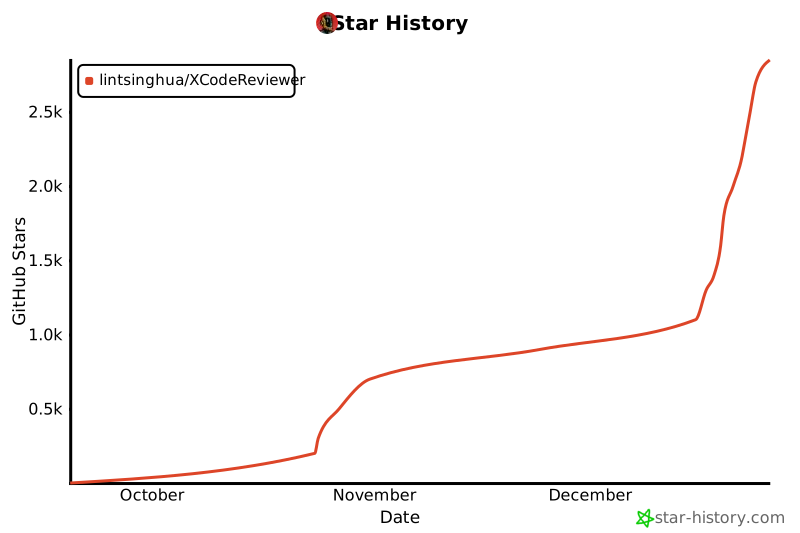](https://star-history.com/#lintsinghua/XCodeReviewer&Date)
|
2025-11-28 20:34:15 +08:00
|
|
|
|
|
2025-10-23 11:30:35 +08:00
|
|
|
|
---
|
|
|
|
|
|
|
|
|
|
|
|
## 📄 免责声明 (Disclaimer)
|
|
|
|
|
|
|
2025-10-23 11:44:31 +08:00
|
|
|
|
本免责声明旨在明确用户使用本开源项目的相关责任和风险,保护项目作者、贡献者和维护者的合法权益。本开源项目提供的代码、工具及相关内容仅供参考和学习使用。
|
|
|
|
|
|
|
2025-10-24 11:22:41 +08:00
|
|
|
|
#### 1. **代码隐私与安全警告 (Code Privacy and Security Warning)**
|
|
|
|
|
|
- ⚠️ **重要提示**:本工具通过调用第三方LLM服务商API进行代码分析,**您的代码将被发送到所选择的LLM服务商服务器**。
|
|
|
|
|
|
- **严禁上传以下类型的代码**:
|
|
|
|
|
|
- 包含商业机密、专有算法或核心业务逻辑的代码
|
|
|
|
|
|
- 涉及国家秘密、国防安全或其他保密信息的代码
|
|
|
|
|
|
- 包含敏感数据(如用户数据、密钥、密码、token等)的代码
|
|
|
|
|
|
- 受法律法规限制不得外传的代码
|
|
|
|
|
|
- 客户或第三方的专有代码(未经授权)
|
|
|
|
|
|
- 用户**必须自行评估代码的敏感性**,对上传代码及其可能导致的信息泄露承担全部责任。
|
2025-11-28 20:34:15 +08:00
|
|
|
|
- **建议**:对于敏感代码,请使用 Ollama 本地模型部署功能,或使用私有部署的LLM服务。
|
2025-10-24 11:22:41 +08:00
|
|
|
|
- 项目作者、贡献者和维护者**对因用户上传敏感代码导致的任何信息泄露、知识产权侵权、法律纠纷或其他损失不承担任何责任**。
|
|
|
|
|
|
|
|
|
|
|
|
#### 2. **非专业建议 (Non-Professional Advice)**
|
2025-10-23 11:30:35 +08:00
|
|
|
|
- 本工具提供的代码分析结果和建议**仅供参考**,不构成专业的安全审计、代码审查或法律意见。
|
|
|
|
|
|
- 用户必须结合人工审查、专业工具及其他可靠资源,对关键代码(尤其是涉及安全、金融、医疗等高风险领域)进行全面验证。
|
|
|
|
|
|
|
2025-10-24 11:22:41 +08:00
|
|
|
|
#### 3. **无担保与免责 (No Warranty and Liability Disclaimer)**
|
2025-11-28 20:34:15 +08:00
|
|
|
|
- 本项目以"原样"形式提供,**不附带任何明示或默示担保**,包括但不限于适销性、特定用途适用性及非侵权性。
|
2025-10-23 11:30:35 +08:00
|
|
|
|
- 作者、贡献者和维护者**不对任何直接、间接、附带、特殊、惩戒性或后果性损害承担责任**,包括但不限于数据丢失、系统中断、安全漏洞或商业损失,即使已知此类风险存在。
|
|
|
|
|
|
|
2025-10-24 11:22:41 +08:00
|
|
|
|
#### 4. **AI 分析局限性 (Limitations of AI Analysis)**
|
2025-11-28 20:34:15 +08:00
|
|
|
|
- 本工具依赖多种 AI 模型,分析结果可能包含**错误、遗漏或不准确信息**,无法保证100% 可靠性。
|
2025-10-23 11:30:35 +08:00
|
|
|
|
- AI 输出**不能替代人类专家判断**,用户应对最终代码质量及应用后果全权负责。
|
|
|
|
|
|
|
2025-10-24 11:22:41 +08:00
|
|
|
|
#### 5. **第三方服务与数据隐私 (Third-Party Services and Data Privacy)**
|
|
|
|
|
|
- 本项目集成 Google Gemini、OpenAI、Claude、通义千问、DeepSeek 等多个第三方LLM服务,以及 Supabase、GitHub 等服务,使用时须遵守其各自服务条款和隐私政策。
|
|
|
|
|
|
- **代码传输说明**:用户提交的代码将通过API发送到所选LLM服务商进行分析,传输过程和数据处理遵循各服务商的隐私政策。
|
|
|
|
|
|
- 用户需自行获取、管理 API 密钥,本项目**不存储、传输或处理用户的API密钥和敏感信息**。
|
|
|
|
|
|
- 第三方服务的可用性、准确性、隐私保护、数据留存政策或中断风险,由服务提供商负责,本项目作者不承担任何连带责任。
|
|
|
|
|
|
|
|
|
|
|
|
#### 6. **用户责任 (User Responsibilities)**
|
|
|
|
|
|
- 用户在使用前须确保其代码不侵犯第三方知识产权,不包含保密信息,并严格遵守开源许可证及相关法规。
|
|
|
|
|
|
- 用户**对上传代码的内容、性质和合规性承担全部责任**,包括但不限于:
|
|
|
|
|
|
- 确保代码不包含敏感信息或商业机密
|
|
|
|
|
|
- 确保拥有代码的使用和分析权限
|
|
|
|
|
|
- 遵守所在国家/地区关于数据保护和隐私的法律法规
|
|
|
|
|
|
- 遵守公司或组织的保密协议和安全政策
|
2025-11-28 20:34:15 +08:00
|
|
|
|
- **严禁将本工具用于非法、恶意或损害他人权益的活动**,用户对所有使用后果承担全部法律与经济责任。
|
2025-10-23 11:30:35 +08:00
|
|
|
|
|
2025-10-24 11:22:41 +08:00
|
|
|
|
#### 7. **开源贡献 (Open Source Contributions)**
|
2025-10-23 11:30:35 +08:00
|
|
|
|
- 贡献者的代码、内容或建议**不代表项目官方观点**,其准确性、安全性及合规性由贡献者自行负责。
|
|
|
|
|
|
- 项目维护者保留审查、修改、拒绝或移除任何贡献的权利。
|
|
|
|
|
|
|
|
|
|
|
|
如有疑问,请通过 GitHub Issues 联系维护者。本免责声明受项目所在地法律管辖。
|


